WWDC25 has wrapped up, and I can confidently say it was one of the most productive conferences in recent years. Apple delivered an impressive array of announcements for developers: new frameworks, modules, and countless improvements that will shape how we build apps.
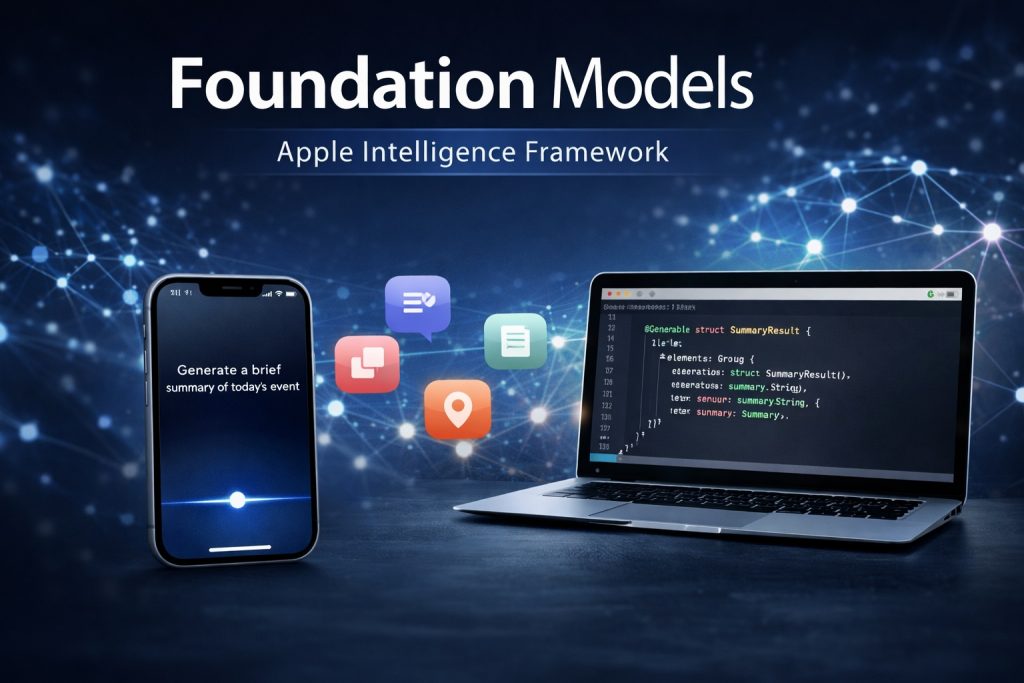
Among all the exciting updates, one particular addition caught my attention: the Foundation Models framework. Apple dedicated several sessions to this topic, including both overview presentations and practical use-case demonstrations.
What I Set Out to Do
When I began researching for this post, my goal was ambitious: create a real-world implementation using the new framework and share my findings through hands-on experience. However, I’ve run into some current limitations that prevent me from building that live example just yet.
While I’ll explain these constraints as we go, I want to assure you that a practical, code-heavy follow-up post is definitely coming. For now, let’s explore what makes Foundation Models so compelling and what it means for iOS developers.
What is Foundation Models?
What is Foundation Models?
Foundation Models is Apple’s new on-device framework that serves as the bridge between your app and Apple Intelligence’s Large Language Model capabilities. Think of it as the communication layer that lets developers tap into powerful AI features directly within their applications.
How Foundation Models Works
The process is elegantly simple: a user makes a request through your app, and the on-device model processes it locally to generate intelligent responses. Apple has optimized this framework for specific tasks that developers commonly need, including summarization, entity extraction, text understanding, content refinement, in-game dialogue, and creative writing.
Structured Output: The Game Changer
What sets Foundation Models apart from typical AI integrations is its ability to return structured data rather than just plain text. Instead of getting a raw string response, you receive organized results—typically as dictionaries that your app can immediately work with.
The real power lies in output control. Developers can define exactly what they want using the @Generable macro in iOS or macOS. This macro lets you specify data structures that guide the model’s response format, ensuring the AI output matches your app’s requirements perfectly.
Device Requirements
Foundation Models requires Apple Intelligence to be enabled on your device. Currently, this limits compatibility to specific devices: all iPhone 16 models, select iPhone 15 models, certain iPad models, and MacBooks with M1 chips or newer. Apple maintains the complete compatibility list on their website.
Key Characteristics
- Multimodal: Can understand text, images, and in some cases, a combination of both.
- Pretrained & General-purpose: Already trained on large datasets, so you don’t need to collect or label data yourself.
- On-device & Private: Optimized to run locally on Apple silicon (A17 Pro, M-series), ensuring privacy-first AI without cloud dependency.
- Available through new Apple APIs: Accessible via Swift and Python (MLX) using high-level APIs introduced in Xcode 17 and macOS Sequoia (Tahoe beta).
✈️ Use Case Spotlight: Travel Itinerary with Foundation Models
One of the most compelling demos at WWDC25 showcased how Apple’s Foundation Models can enhance user experiences with real-world utility. During the session, a speaker demonstrated a travel itinerary generator, powered entirely by on-device AI.
The scenario? An existing iOS application that shows popular landmarks in the world was enhanced with the power of Foundation Models. Selecting a landmark in the app is now generating a dynamic travel itinerary for the specific landmark. All of this was done without calling any external APIs or cloud services — showcasing the power of local intelligence with user privacy intact.
💡 Imagine building an app where users can tap a location and instantly get a smart, AI-generated itinerary or travel guide — personalized, helpful, and offline-capable.
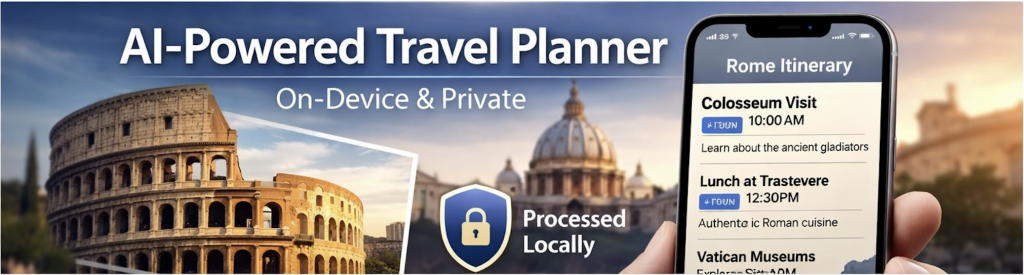
The presentation was divided in 4 parts:
- Prompt engineering – the speaker described how to create a quality prompt using the Generable macros and the Guides for the properties in the prompt structure.
- Tool calling – There is a special Tool Protocol that allows Foundation Models to include external information in its responses. Here developers can be creative and use user’s contacts, the event in the calendar, and many other options within the phone as external suppliers.
- Streaming outputs – in this part the speaker described the benefits of streaming the output instead of waiting for the full content to be generated. Luckily the Foundation Models framework contains sophisticated methods to make this possible. So combining the SwiftUI content transition effect on the text labels, the optional chaining in Swift, and the partial content generation in Foundation Models we have a powerful and user friendly screen for our travel itinerary.
- Profiling – the last part of the presentation was used to show some options for improvement. In the system of profiling tools of the XCode a new profiling tool for Foundation Models was added. Using this profiling tool the user can investigate the performance of the AI model. The speaker suggested some improvement pain points like prewarming the session, so the user will not wait for the model to be prepared. Also in some specific use-cases when the user repeatedly asks similar prompts, the schema could not be included in the response. This will improve the speed of the app.
Limitations
Apple tends in its presentations to advertise the availability of Foundation Models framework. They emphasize in each occasion the availability on iOS, MacOS, Vision OS and Watch OS, but in reality only iPhone 16s, some iPhone 15s Pro, the Mac Books with M1 cheap and more modern Mac Books have the privilege of using this advantage.
I’m pessimistic that the older devices will one day be able to use Foundation Models, but the time passes quickly and hopefully these models will be minor percent of the total usage.
🔮 What This Means for iOS Developers in the Next 6–12 Months
While Foundation Models aren’t fully available to most of us yet (unless you’re running macOS Sequoia on the latest Apple Silicon), their announcement marks a clear shift in Apple’s AI strategy: intelligence is coming to the edge — and fast.
In the next year, we can expect:
- Expanded APIs that make it easier to integrate language and vision tasks into iOS apps.
- Tighter integration with SwiftUI, Core ML, and system frameworks like Siri, Spotlight, and Photos.
- Smarter apps with less backend overhead, especially for things like content summarization, recommendations, and on-device assistants.
- A growing ecosystem of Apple-optimized AI tools, including model converters, MLX support, and improved developer tooling in Xcode.
As developers, now’s the time to watch relevant WWDC25 sessions.
Honestly the announcements of this framework is some kind of revolution. I believe this will improve the static apps, with dynamic content that is generated by the on-device knowledge supported by Apple Intelligence.
What is next?
The plan for the period that follows is testing the possibilities of the Foundation Models with a real example in a custom iPhone application. Stay tuned!