Your team is growing. New faces are joining from time to time. But somewhere between the excitement of onboarding and the reality of day-to-day work, getting a professional portrait taken quietly falls to the bottom of everyone’s priority list.
If you are a Marketing Lead or CTO at a growing tech company, you know exactly how this plays out. People are busy, studios are expensive to book, and the result is an “About Us” page that tells its own story, a patchwork of professional headshots from years past, LinkedIn crops from different eras, and the occasional conference photo that was “good enough at the time.” It is nobody’s fault. It is simply the gap between how fast teams grow and how slowly the logistics of professional photography can keep up.
At N47, we decided to solve this problem ourselves – using AI. This is the story of how we built a ComfyUI pipeline using Google’s Nano Banana 2 model to turn any casual employee photo into a consistent, professional studio portrait. And more importantly, the hard lessons we learned along the way.
The Recurring Nightmare
Let’s frame the problem honestly. When a company is scaling, adding a new hire to the website triggers a chain of events that drains time, energy, and patience:
The Coordination Gap: you need to find a time when a photographer, the new employee, and a usable studio space are all available simultaneously. In a remote-first or hybrid team, this is nearly impossible.
The Email Vortex: the back-and-forth coordination between marketing, the employee, and whoever manages scheduling creates a surprisingly long chain of messages for what should be a simple task. Everyone has good intentions, but calendars are full and priorities compete.
The Photoshop Trap: even with the best intentions, a photo taken in a home office, a busy café, or under mixed indoor lighting will naturally look different from a studio shot. The Marketing Lead then inherits the gap, spending hours manually trying to bridge the difference in editing tools.
The Revision Loop: despite best efforts, the result is usually “acceptable” rather than excellent. And some months later, the same process starts for the next new hire.
This is not just a cost center. It keeps talented marketing professionals on a hamster wheel of repetitive, low-value tasks. This is time stolen directly from strategy, campaigns, and actual brand building.
The irrational fear underneath all of this? That your company’s website quietly signals to every potential client: “We are not a cohesive team.” In a world where first impressions happen in milliseconds, a visually fragmented team page is a trust killer.
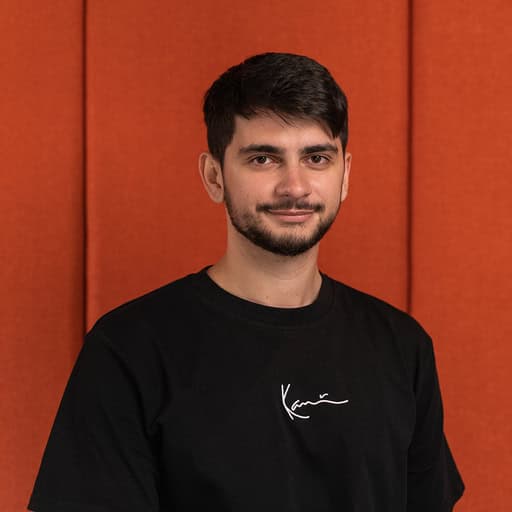
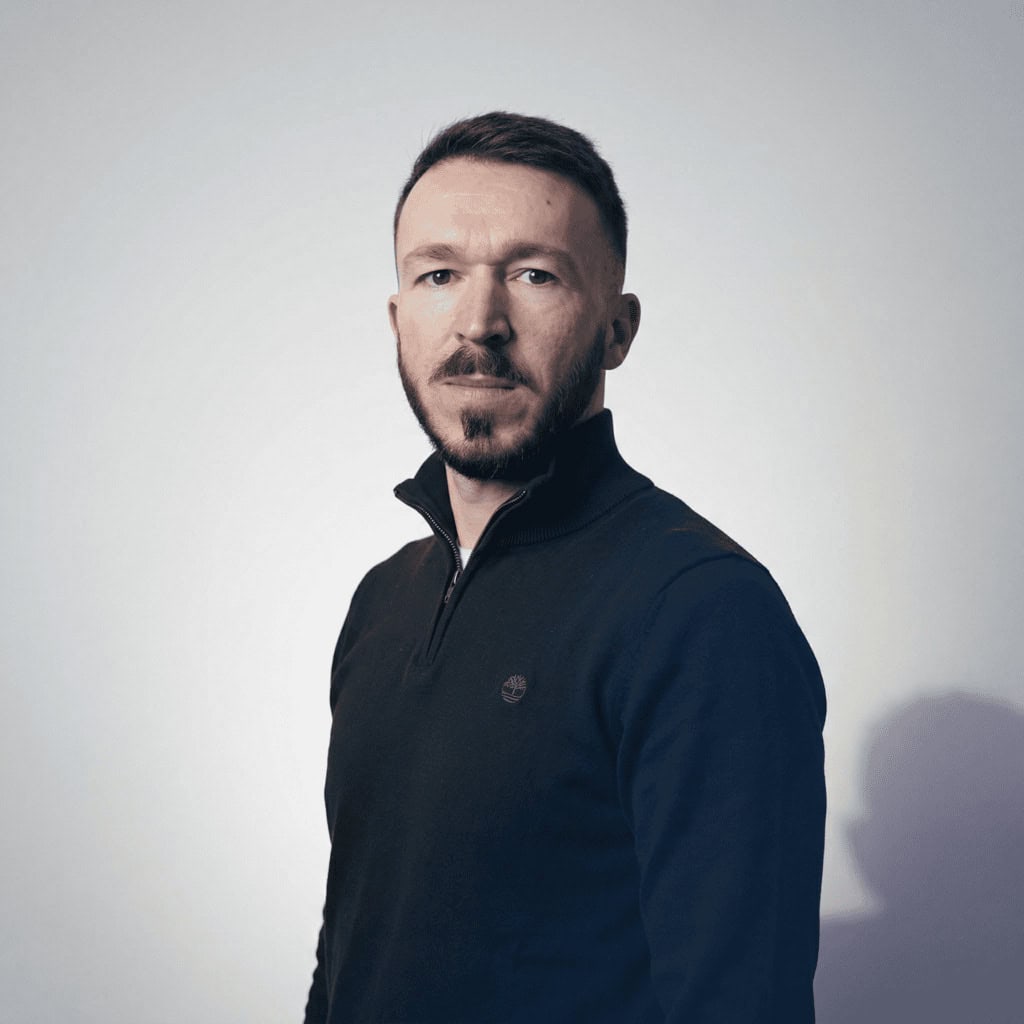
The three test cases, with different lighting, pose and quality.
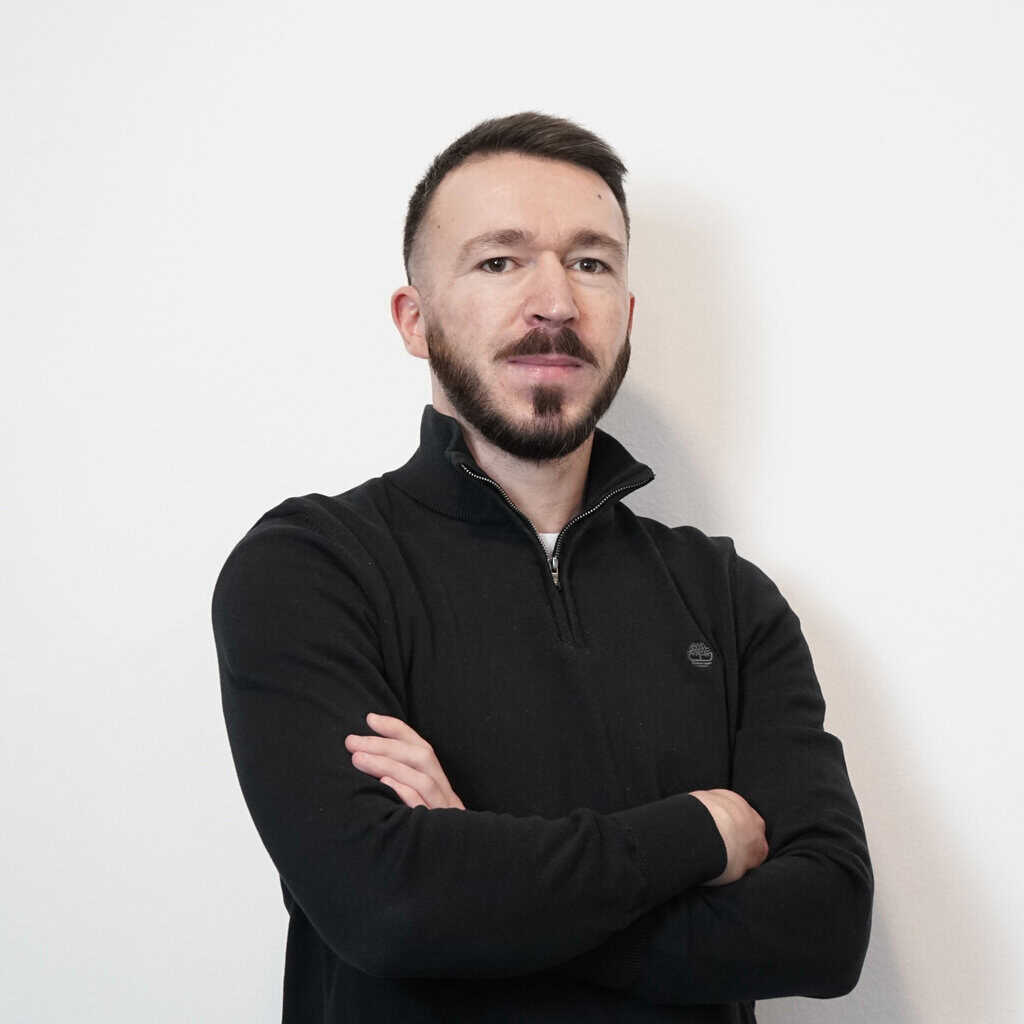
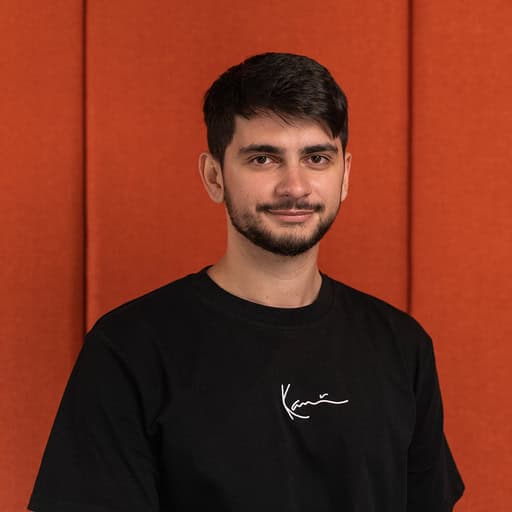

The Test Case: Entering ComfyUI and Nano Banana 2
Every great problem deserves an elegant solution. Ours started with a question: what if an employee could send us any photo, even a selfie, and our system would automatically convert it into a professional studio portrait that matches the rest of the team?
The answer came in the form of ComfyUI, a node-based visual workflow tool, combined with Nano Banana 2 – Google’s Gemini 3.1 Flash Image model. Unlike simple AI photo filters, this combination creates a repeatable, controllable pipeline that behaves like a professional photographer with a consistent studio setup.
The concept is straightforward: feed in a reference photo of an employee’s face and feed in one or two examples of the desired studio style. Then instruct the AI to generate a new portrait, preserving the person’s identity but applying the professional lighting, background, and framing of the style references.
In theory. The practice was considerably more interesting.
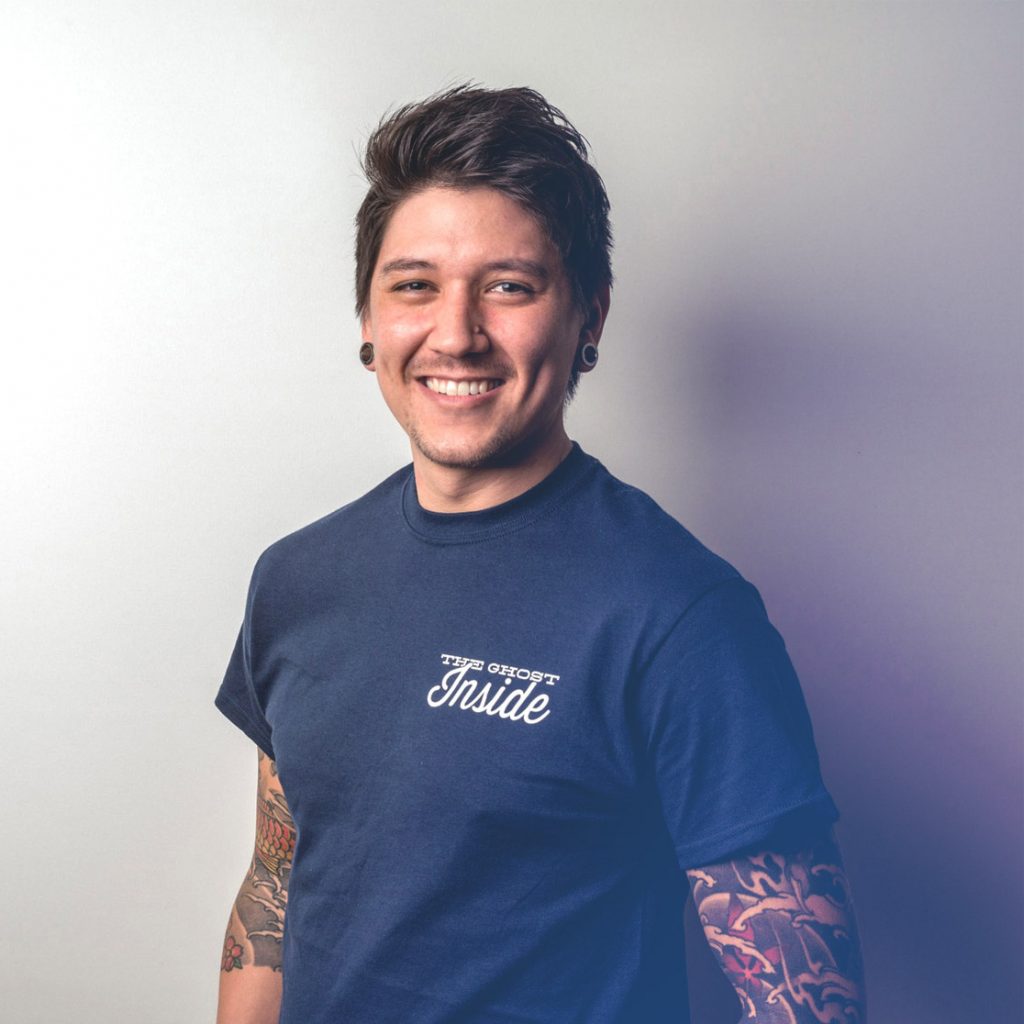
The Ultimate Challenge: Three Hard Technical Truths
A transparent account of this process has to include the failures, not just the wins. Here is what we actually ran int, and how we solved each one.
1. The Prompt Framing Trap
Our first instinct was to write prompts like “keep the person unchanged and improve the background.” This sounds logical, but it gave us consistently bad results. The model treated it as a minimal edit and simply removed the background, leaving the subject floating on a grey void.
The breakthrough came when we reframed the entire task. Instead of “edit this image,” the prompt became: “Generate a new professional portrait. Use Image 1 only for facial identity. Treat Images 2 and 3 as the target scene.” That one shift, from editing to generating, unlocked dramatically better results. The model needs permission to fully rebuild the image.
2. The Directional Dilemma
One of the most stubborn problems we encountered was pose direction. We wanted subjects angled consistently, body turned, face toward camera, a classic 3/4 portrait stance. Simple enough to describe. Surprisingly hard to get right.
Our first attempt used anatomical descriptions: “right shoulder toward camera, left shoulder away.” This helped but still produced inconsistent results because the model sometimes interpreted body orientation relative to the subject rather than relative to the image frame.
The fix that finally worked was describing everything in image-space terms, meaning what appears on the left and right side of the actual picture, not the person’s body. The prompt that unlocked more consistency reads:
“The subject’s body and torso are rotated 30–45 degrees to the left, so it points to the LEFT side of the image. The face turns back to look directly into the lens.”
Combined with a matching lighting instruction: “studio light placed to the left of the camera, illuminating the left side of the face and body more, with a very soft shadow falloff to the right”. The pose and lighting now reinforce each other, making the output far more predictable. Describing what the image looks like, rather than what the person is doing, turned out to be the key.
3. The Clothing Hallucination Problem
When an input photo is tightly cropped, showing only a face and collar, the AI has to infer what the rest of the person looks like. Without guidance, it invents. In our case, it kept adding suits and ties to employees who were wearing casual sweatshirts.
The solution was to explicitly instruct the model to extend that clothing downward naturally rather than replace it. If the reference image doesn’t show below the chest, the model now generates the lower portion of the same garment, consistent, professional, no creativity required.

4. Light direction and shadow
Light direction suffered from the same perspective confusion as the pose: “left” was sometimes the subject’s left and sometimes the viewer’s. Worse, the shadows were wildly inconsistent, either missing entirely or looking like “bad Photoshop,” which made the subject feel detached from the background.
We moved to image-space terms: “Primary light enters from the left side of the frame, casting a soft-edged shadow toward the right.” By explicitly defining the shadow’s presence and direction, we forced the model to ground the subject in the scene. Describing the shadow’s destination turned out to be more important than describing the light source itself.



The Solution: Generate, Refine, Brand
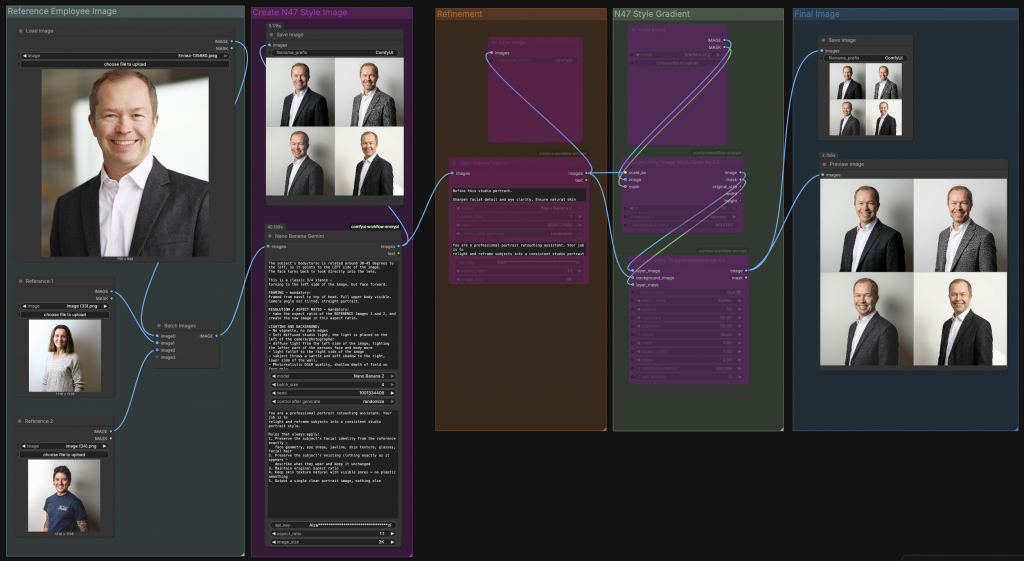
After extensive testing across multi-pass pipelines and single-step approaches, we settled on a clean three-stage process, but not three stages of AI generation. The heavy lifting happens in a single prompt. What follows is refinement and branding.
Step 1: The Generation Prompt
A single, well-structured prompt fed with the employee’s photo plus two style reference portraits does the core work. The prompt is divided into four clear sections, each with a specific job:
Identity extraction comes first. The model is explicitly told to use Image 1 only for the person’s face, their skin tone, hair, age, beard, and eye shape, and to ignore everything else about that photo: the background, lighting, and pose. This separation is critical. Without it, the model tries to preserve elements of the original scene that you actually want to replace.
Pose is defined in image-space terms, not body-space. The torso rotates 30–45 degrees so it points to the left side of the image, while the face turns back toward the lens. Describing what the final image looks like, rather than what the person should do, gives the model an unambiguous visual target.
Framing is set explicitly from navel to top of head, ensuring the full upper body is visible. If the reference photo is tightly cropped and doesn’t show the clothing below the chest, the model is instructed to extend the garment naturally downward rather than invent something new.
Lighting and background are described with physical precision: a studio light placed to the left of the camera, illuminating the left side of the face and body, with a gentle falloff and a subtle soft shadow on the right side of the wall behind the subject. No vignette, no dark edges, photorealistic DSLR quality with shallow depth of field on the face only.
Step 2: Refinement
The output of Step 1 feeds into a second Nano Banana node with a focused refinement prompt. This pass does not regenerate the image from scratch, it sharpens facial detail, corrects any minor artifacts, confirms clothing integrity, and ensures the background remains clean and evenly lit. Keeping refinement as a separate step prevents the generation and cleanup tasks from competing in the same prompt, which would introduce unpredictability.
Step 3: The N47 Brand Gradient
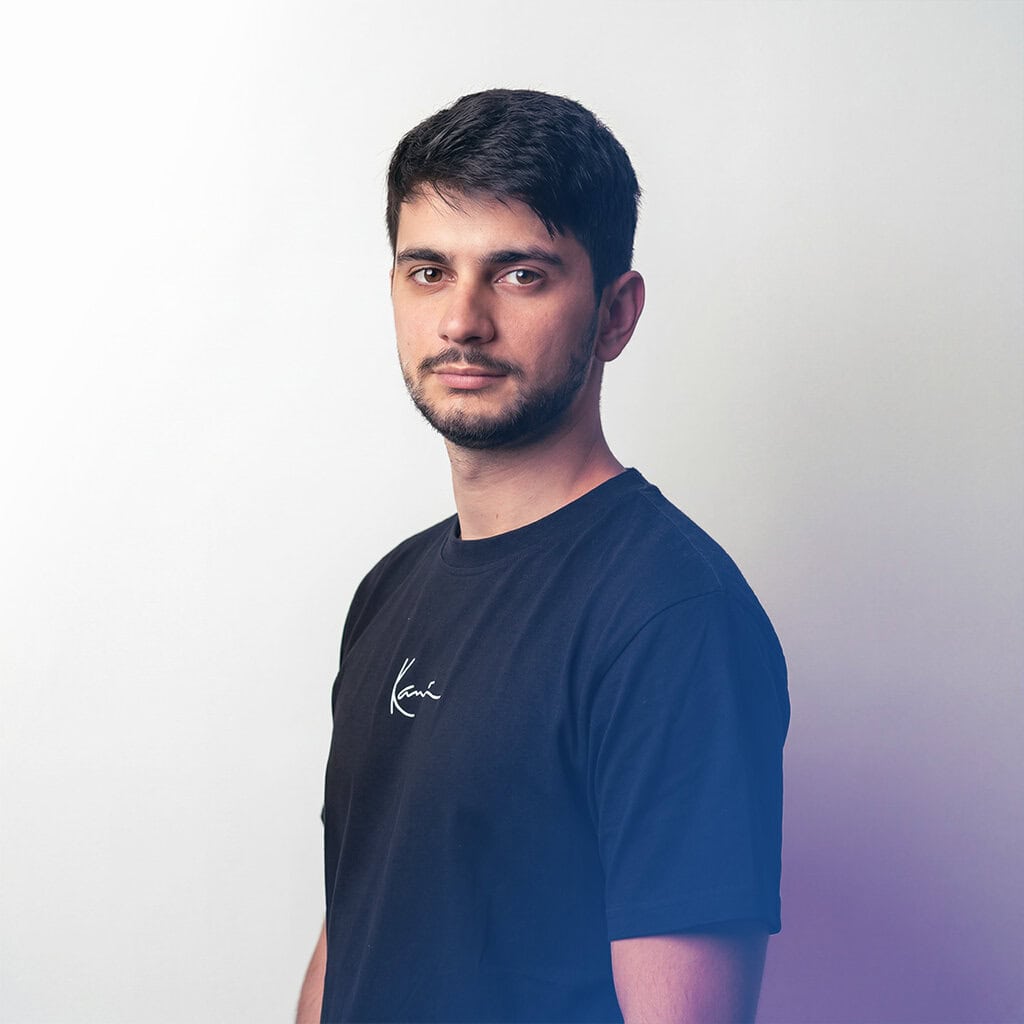
The final step has nothing to do with AI generation. Once the portrait is confirmed, a branded N47 gradient is applied on top of the image as a design layer, the consistent visual signature that ties every team member’s portrait together into a single, recognizable brand identity. This layer is what transforms a good studio portrait into an N47 portrait.
The result is a workflow that is lean, predictable, and fully repeatable, one generation step, one refinement step, one branding step. Each stage has a clear job, and none of them overlap.
Key Takeaways from the AI Frontier
For any marketing or technology team considering this approach, these are the honest lessons from our process:
Prompting is a professional skill.Vague instructions produce vague results. The difference between “turn left” and “torso rotated to the LEFT side of the image” is the difference between a consistent output and a 50/50 coin flip on every generation. Describing what the final image should look like, rather than what the person should do, is the mental shift that changes everything.
Input quality still matters. AI can work near-miracles with poor lighting and cluttered backgrounds. But the best results come from a clear, front-facing photo (or multiple reference images in the same light) with a neutral expression. The less the model has to guess about the face, the more authentic the final portrait.
There is no negative prompt field. Unlike traditional diffusion models, Nano Banana 2 requires entirely affirmative language. Instead of “no suit,” you write “a black crew-neck sweatshirt.” Instead of “no dark background,” you write “a plain, uniformly lit light grey wall.” Every constraint must be expressed as something you want, not something you don’t.
Understand that AI rarely creates the perfect result on the first try. You must embrace the power of repetition, running the same workflow multiple times to account for the model’s inherent randomness. Never judge a prompt by a single image, run it at least 3–5 times to see the full range of interpretations before deciding to tweak your language.
If the first result is 80% there, don’t rewrite the prompt. Re-run it. If the AI consistently misses the mark after three attempts, only then should you tweak your descriptive language.
Know the limits of the medium. AI-generated portraits work excellently for website team pages, LinkedIn profiles, and social media posts, formats where images are viewed on screens at relatively small sizes. However, for large-format print applications such as exhibition banners, printed brochures, trade show materials, or billboard advertising, the output quality can fall short. AI generation introduces subtle texture artifacts and soft detail that are invisible at 200px wide on a phone screen but become noticeable when printed at scale. For anything that will be physically printed larger than A4, we recommend either supplementing with a proper photo shoot or applying additional upscaling and sharpening steps before sending to print.
The subject knows their own face better than anyone. This is perhaps the most human consideration in the entire process, and one that is easy to overlook when you are focused on technical output quality. Small deviations from a person’s actual appearance can make the AI version feel subtly “off” to the subject themselves, even when the result looks perfectly professional to everyone else. A slightly different jawline shape, an eye that is marginally too wide, skin that is a touch too smooth, these are details that colleagues and clients would never notice, but that the person in the photo will feel immediately. We recommend always including the employee in a brief approval step, giving them the chance to select the version they feel most represents them. This is not just good practice for quality control, it is a matter of respect. The image will carry their name and face on your platform; they should feel comfortable and recognized in it.
Conclusion: The Miracle Scenario Is Now Reachable
The scenario we were aiming for, a new hire sends a casual photo, and within minutes has (mostly) a professional branded portrait for the website, is no longer theoretical. It works. Not perfectly every time, and not with the first generation. But reliably, repeatably, and at a fraction of the cost and coordination overhead of traditional photography.
The quality of the results is very good. Nano Banana also upscales the input image and keeps the quality high. However, our test subjects told me that the eyes were the most difficult part – they are often not very accurate compared to the subject’s real eyes.


For growing teams, remote-first companies, or any organization that has ever stared at a mismatched “About Us” page and felt the quiet frustration of brand inconsistency, this approach is now within reach.
At N47, we specialize in bridging the gap between raw AI capabilities and real business value. If you are facing the same visual consistency challenge and want to explore what a custom ComfyUI pipeline could look like for your brand, we are more than happy to help.
→ Get in touch with the N47 team and let’s build your digital studio.